I have been playing Fortnite since the early days, and like many veterans, I recently looked at my original display name and cringed. In 2026, with Fortnite nearly a decade old, my old handle no longer matched the player I am today. So I decided to change it. The good news is that Epic Games still makes this process relatively painless — as long as you know where to look and accept a short cooldown. Here is exactly how I did it, based on Epic's official account tools and the console-specific steps I tested.
Sometimes we simply grow out of an old username. Epic Games first launched Fortnite six and a half years ago according to older guides, but in 2026 we are nearly a decade in, and the process has stayed stable. You should decide beforehand what your new name will be, because there is a brief time limit before you can change it again. I learned that the hard way the first time I tried a name I did not love.
First, understand what your display name actually is
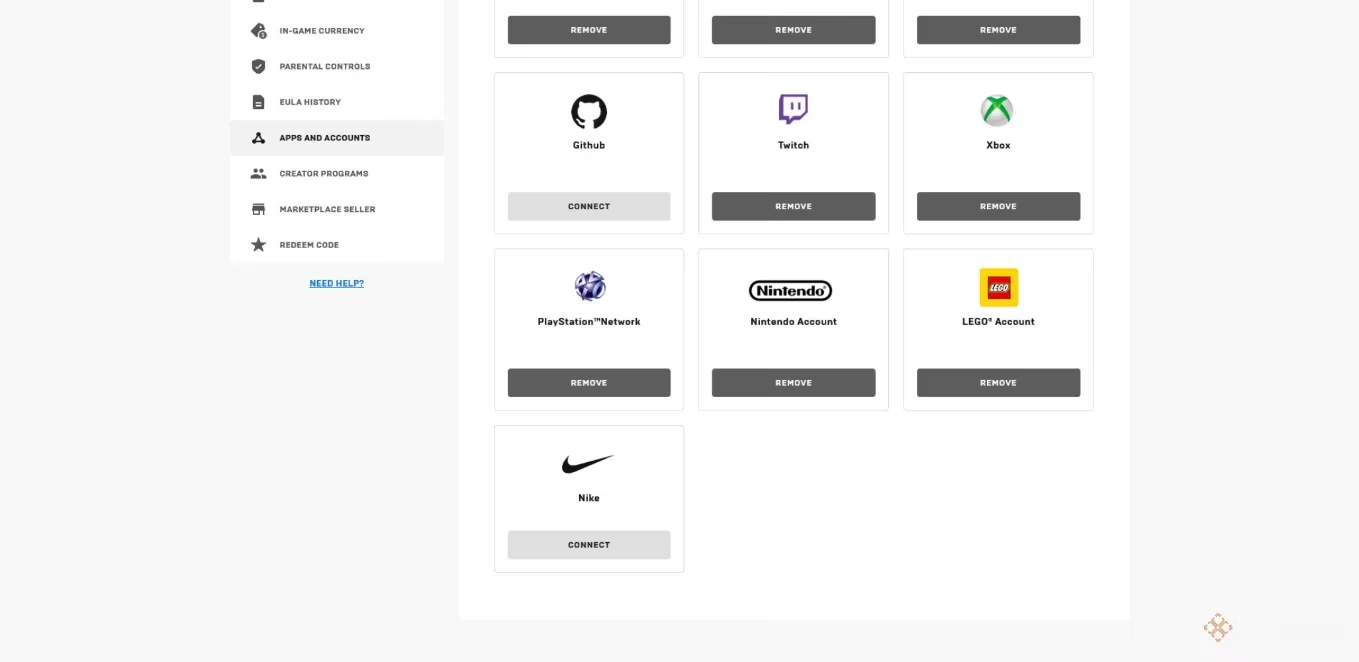
Your Epic Games display name is how other players see you in every game tied to your account, not just Fortnite. On PC, that is usually your Epic Games username. On consoles, Fortnite uses your platform ID — your Xbox Gamertag or PlayStation Online ID — as your in-game display name. If you play crossplay through Epic Games, your friends on any platform can still see your Epic Games account as long as it is connected to that console's services. That distinction matters because it determines whether you need to change your name on Epic's website or on your console. I also double-checked that my Epic account was linked to my console before I changed anything. If you skip that step, your friends might see two different names.
The Epic Games website route (PC and account-level changes)
I started on the Epic Games website. After logging in, I hovered over the image or initials for my account in the top-right corner of the screen. A menu opened, and I clicked the 'Account' option to open my settings and see my personal information.

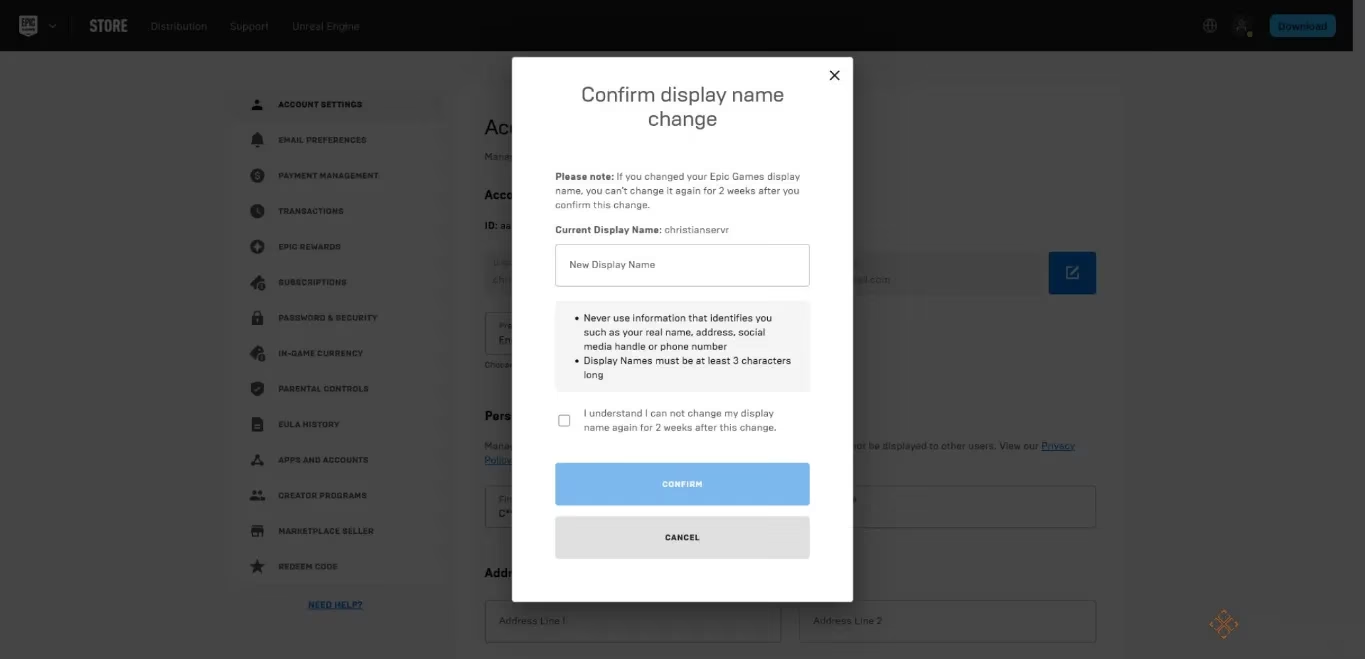
On the account page, my Display Name appeared under 'Account Information'. I clicked the blue box with a pen and pad icon to change it. A pop-up appeared with a box for my new name and the conditions for changing it. That includes a two-week restriction until you can change your display name again, plus Epic's naming requirements. I picked a name I could live with, confirmed the change, and it was done. The whole thing took less than five minutes.
The console route (Xbox and PlayStation)
When I play on console, my display name in Fortnite is always the online ID assigned to that platform. To change it, I had to go through that platform's services — not Epic's website. Whether you are replacing your Xbox Gamertag or changing your PlayStation Online ID, each console offers its own limitations and warnings.

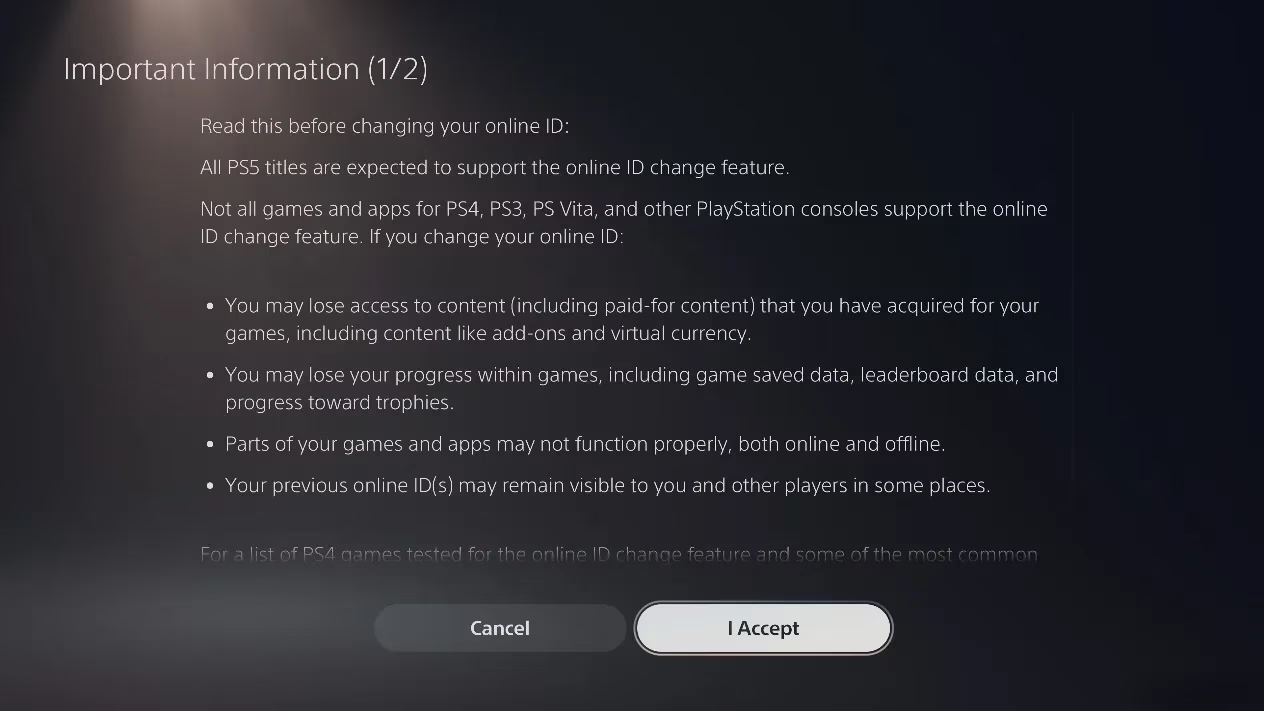
PlayStation, for example, warns that any legacy content on PS4 — including purchases and saves — could be voided or disappear if you change your name. That is a serious caveat, and I took it seriously. You can change either platform's username online or through the console itself. The console option is immediate, but you may need to follow verification steps in some cases, which can make the process take a little longer.
Here is a quick comparison I wish I had before starting:
| Platform | Where to change | Key warning |
|---|---|---|
| Epic Games (PC) | Epic Games website → Account → Display Name | Two-week cooldown before next change |
| Xbox | Xbox account settings → Gamertag | May require verification; check Xbox policies |
| PlayStation | PlayStation Network → Online ID | Legacy PS4 content could be voided or disappear |
| Crossplay visibility | Connect Epic account to console | Friends on any platform can see your Epic account |
What I learned in 2026
Epic Games first launched Fortnite six and a half years ago according to older guides, but in 2026 we are nearly a decade in. The process has stayed stable, which is a relief. My advice: decide on your new name before you start, because that two-week restriction is real. Also, check the platform-specific warnings carefully — especially on PlayStation. And remember that your display name is your identity in every game you play with that account, so pick something you will not want to change again next month. ✅
A few extra tips from my own experience:
-
✅ Pick a name you can live with for at least two weeks, because Epic will not let you change it again immediately.
-
⚠️ On PlayStation, back up any legacy PS4 saves you care about before changing your Online ID.
-
🎮 On Xbox, verify your Gamertag change through the console or Microsoft's website, then confirm your Epic account is still linked.
-
🔁 If you play crossplay, ask a friend to check your name in the lobby after you change it. That is the fastest way to confirm everything worked.
If you are a console player, do not waste time on Epic's website looking for a Gamertag field. Change it through Xbox or PlayStation first, then confirm that your Epic account is connected so crossplay friends see the right name. That is exactly what I did, and now my Fortnite lobby finally feels like mine again. 🎮
This discussion is informed by guidance available from PEGI, whose consumer-facing resources emphasize account awareness, online interaction considerations, and player identity across connected services. In the context of changing a Fortnite display name, that broader perspective is useful because a username update is not just cosmetic—it affects how other players recognize you across multiplayer spaces and linked platform ecosystems.